0 ratings




Item #:
214809145
MINIX K1 USB C KVM Switch 1 Monitors 2 Computers, 4K@120Hz HDR, 100W PD 3.0, Dual USB-C Input KVM Switches, Share Keyboard & Mouse, Aluminum Design,
Item #:
214809145
XOF 43456
Price Details
Excluding Shipping & Custom charges ( Shipping and custom charges will be calculated on checkout )
*All items will import from US
In stock
 Imported from USA store
QTY:
Only 10 items left in stock.
Order now and get it around Wednesday, June 24
Secured transaction
Ubuy works hard to protect your security and privacy. Our advanced payment security system ensures confidentiality by encrypting your information during transmission using AES (Advanced Encryption Standards) and SSL (Secure Socket Layer) protocols. Your payment details are 100% secure as we do not share your payment details with third party sellers.
Our Top Logistics Partners


Seamlessly switch between two computers while enjoying 4K@120Hz visuals and convenient power options.

Fast
Shipping

Free
Return*

Secure Packaging

100% Original Products

PCI DSS Compliance

ISO 27001 Certified


Note: Step Down Voltage Transformer required for using electronics products of US store (110-120). Recommended power converters Buy Now.


What Stands Out
High Resolution
Supports 4K@120Hz HDR for vibrant visuals, making it ideal for professional and gaming use, ensuring you enjoy stunning graphics on your monitor.
Power Delivery
Equipped with 100W PD 3.0, this KVM switch offers simultaneous charging for connected devices, eliminating the need for multiple power adapters.
Versatile Compatibility
Works seamlessly with Windows, Mac, Linux, and Android systems, making it a flexible solution for diverse user environments and setups.
Product Details
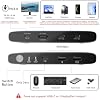
- 【KVM Switch 1 Monitor 2 Computers】Featuring an Aluminum alloy shell, this USB-C KVM Switch comes with dual USB-C ports to control 2 computers/laptops and share one single monitor, keyboard and mouse. An HDMI cable (not included) is required to connect the KVM switch to your monitor. Simply press the button to seamlessly switch between two computers, boosting work efficiency and cutting down desk clutter
- 【4K@120Hz HDR Display & Audio Output 】Enjoy high-definition output with 4K@120Hz HDR, providing ultra-smooth visuals and vibrant colors. Supports HDCP compliance for secure playback of streaming content. Note: To achieve 4K@120Hz HDR output, please use an HDMI 2.1 cableand ensure your devices and monitor support [email protected] display may take 3-5 seconds to sync after switching
- 【Built-In 100W USB-C PD 3.0 Charging】 Integrated PD port delivers up to 100W for compatible devices. Use your existing USB-C charger for flexible power options and a cleaner setup.Note: The PD port only provides power to the currently connected device
- 【Front Ports for Everyday Accessories】 MINIX K1 KVM Switch allows you to easily connect keyboard, mouse, flash drives, and phones using 1 USB-C and 2 USB-A ports. No more plugging and unplugging accessories repeatedly
- 【Universal OS Compatibility】 MINIX K1 USB-C kvm switch is compatible with Windows 10/11, macOS, Linux, Android, Harmony OS, making it easy to integrate into any home office or shared workspace
| Connector Type Used on Cable | Plug In |
| Compatible Devices | Computers, Laptops, Monitors, External Storage Devices, Windows, macOS, Linux, Android |
| Color | Gray |
| Brand | MINIX |
| Manufacturer | MINIX GROUP COMPANY LIMITED |
| Mfr Part Number | K1 |
| Model Number | K1 |
| Item Weight | 185 Grams |
| Unit Count | 1.0 Count |
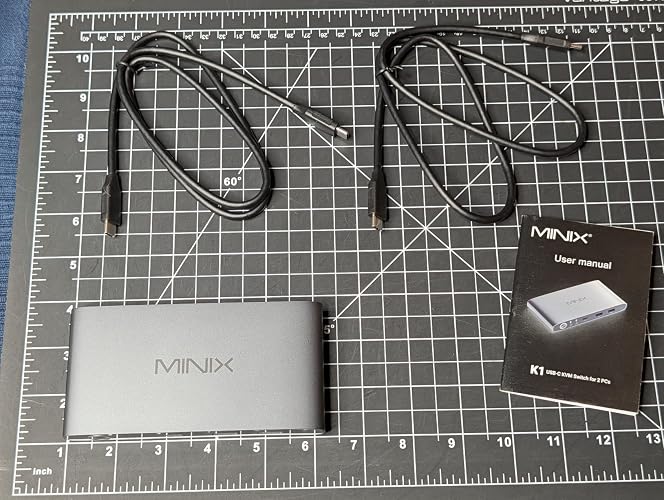
| Built-In Media | 1x USB-C KVM, 2 xUSB-C to C Cables, 1x Manual |
| Connector Type | Plug In |
What's in the box
1x USB-C KVM, 2 xUSB-C to C Cables, 1x Manual
Who Should Buy?

-
Multimedia Creators
Ideal for video editors and graphic designers needing high resolution with fast-switching capabilities between two computers.
-
Gaming Enthusiasts
Perfect for gamers who want to switch between gaming consoles and PCs quickly without sacrificing video output quality.
-
Remote Workers
Great for professionals working with multiple systems, allowing seamless operation of two computers with one set of peripherals.

-
Budget Users
Not suitable for those looking for a low-cost option; features may exceed budget constraints for basic setups.
-
High-End Gamers
May not meet the specific needs of gamers requiring ultra-high refresh rates beyond 120Hz for competitive gaming.
-
Single Computer Use
Not necessary for individuals who only use one computer, as it limits potential functionality and adds unnecessary complexity.
Product Description
Have any Query? Chat with us
Customer Questions & Answers
-
Question:
Do I need any additional cables for the KVM switch?
Answer: Yes, you will need an HDMI cable (not included) to connect the KVM switch to your monitor. -
Question:
What devices are compatible with the KVM switch?
Answer: The KVM switch is compatible with Windows 10/11, macOS, Linux, Android, and Harmony OS. -
Question:
Can I charge my devices while using the KVM switch?
Answer: Yes, the KVM switch has a built-in 100W USB-C PD port to charge compatible devices.
MINIX KVM Switches K1 Editorial Review


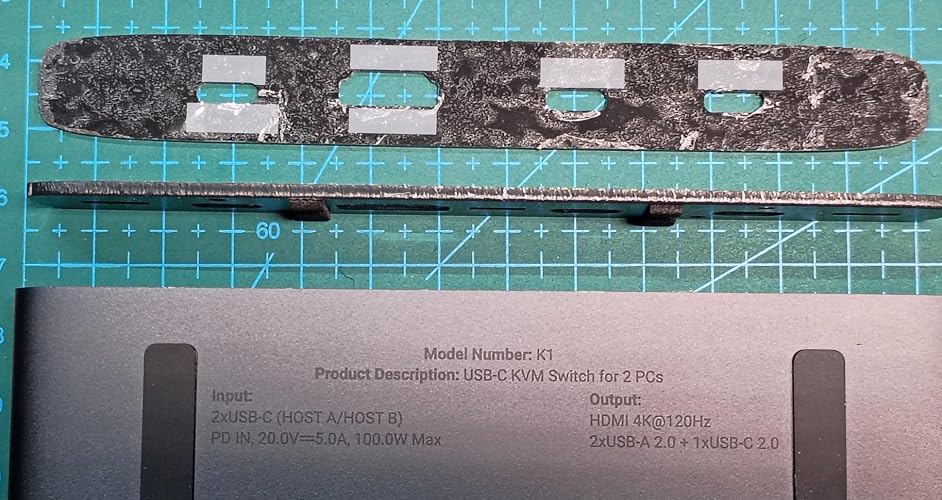


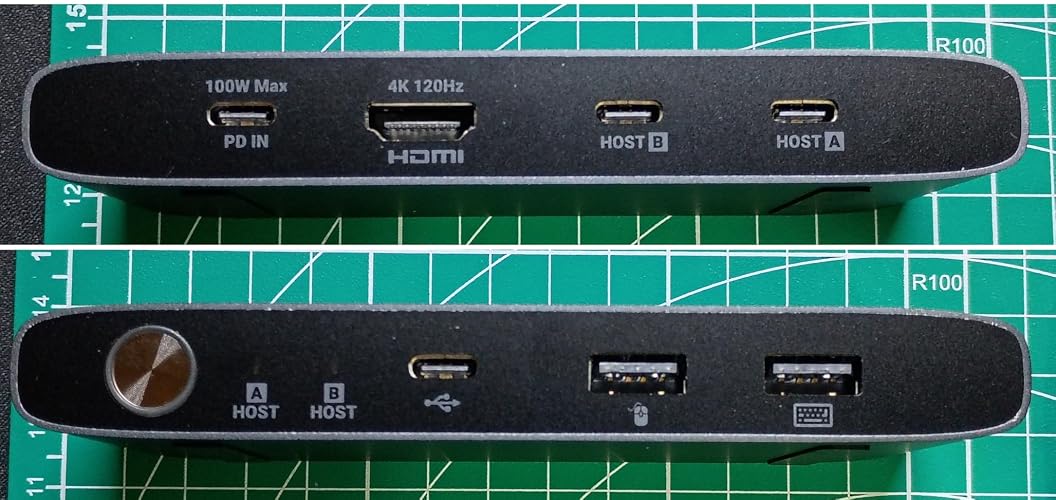


The MINIX K1 USB C KVM Switch has garnered a positive reception among users for its functionality and design, especially Considering its reasonable price point. Customers appreciate the simplicity of the setup process, describing it as plug-and-play without the need for extensive installation or drivers. Users have noted that the KVM switch effectively supports 4K resolution at 120Hz, making it an impressive choice for those with high-performance devices, particularly MacBook models. The compact and minimalistic design, along with the convenient front-facing USB ports, adds to its appeal. The switching speed has received favorable mentions, with users reporting fast transitions between devices, albeit some noted a slight delay in specific circumstances. Many users were pleasantly surprised by the product's performance, deeming it a blend of a conventional KVM switch and a docking station, which further streamlines their workspace. However, there are some drawbacks, including occasional issues with HDR functionality and power delivery, which some users found slower than expected. Furthermore, a few concerns were raised about cable management and the heat generated by the aluminum casing during extended use. Overall, the MINIX K1 KVM Switch serves as a valuable tool for users looking to manage multiple devices with ease, although potential buyers should be aware of its limitations with specific features and compatibility requirements. **
Customer Reviews & Ratings
80 customers ratings
-
5 Star
61%
-
4 Star
19%
-
3 Star
11%
-
2 Star
4%
-
1 Star
5%
Review this product
Share your thoughts with other customers
Pros
- Supports 4K at 120Hz, particularly compatible with MacOS
- Easy setup and plug-and-play functionality
- Fast switching between devices
- Compact and minimalistic design
- Convenient front USB-C ports
Cons
- HDR functionality does not work as expected
Product Price History
Important information
- Limitations : For products shipped internationally, please note that any manufacturer warranty may not be valid; manufacturer service options may not be available; product manuals, instructions, and safety warnings may not be in destination country languages; the products (and accompanying materials) may not be designed in accordance with destination country standards, specifications, and labeling requirements; and the products may not conform to destination country voltage and other electrical standards (requiring use of an adapter or converter if appropriate). The recipient is responsible for assuring that the product can be lawfully imported to the destination country. When ordering from Ubuy or its affiliates, the recipient is the importer of record and must comply with all laws and regulations of the destination country.
- Not all the products listed on Ubuy are for sale, as Ubuy is a global search engine. Products are subject to export/trade regulations.
XOF 43456
Order now and get it around Wednesday, June 24
This item is not restrict in my country.(Please click on above link if this item is not restrict in your country, So our team will review and allow.)
QTY:
Only 10 items left in stock.
Secured transaction
Ubuy works hard to protect your security and privacy. Our advanced payment security system ensures confidentiality by encrypting your information during transmission using AES (Advanced Encryption Standards) and SSL (Secure Socket Layer) protocols. Your payment details are 100% secure as we do not share your payment details with third party sellers.
Our Top Logistics Partners
Fastest cross-border delivery
Features & Benefits
- Control two computers or laptops with one monitor, keyboard, and mouse.
- Experience stunning 4K@120Hz HDR visuals for ultra-smooth and vibrant displays.
- Built-in 100W USB-C PD 3.0 charging for flexible power solutions.
- Easily connect everyday accessories through front ports for improved convenience.
- Compatible with multiple operating systems, ensuring a smooth integration into any workspace.
- Reduce desk clutter while boosting productivity with a simple switch button.